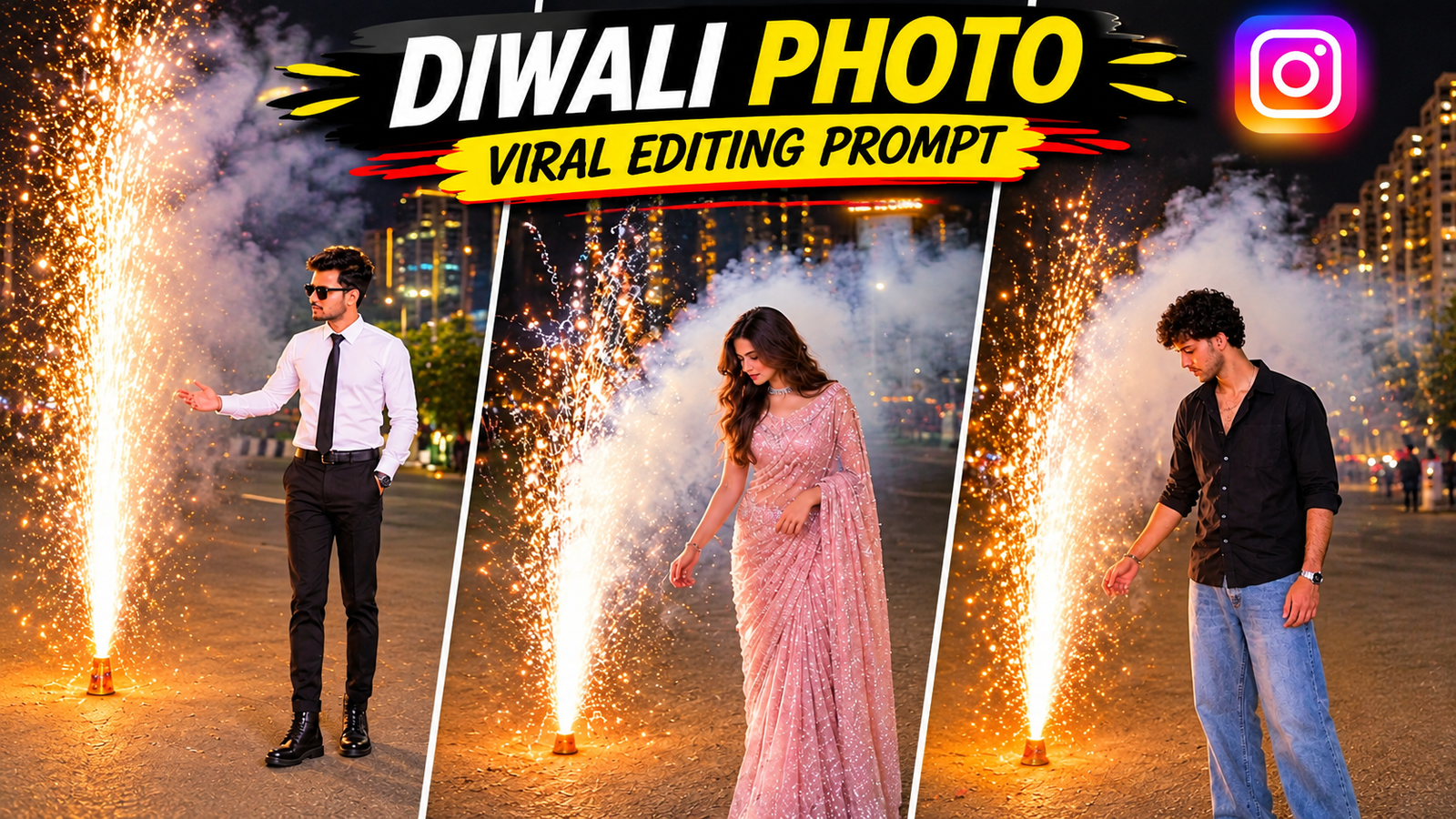
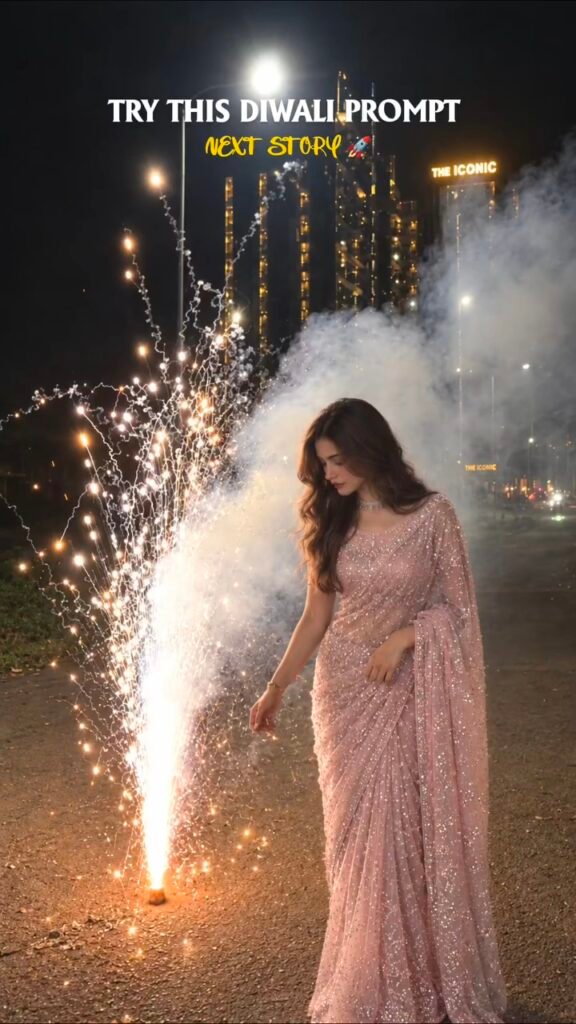
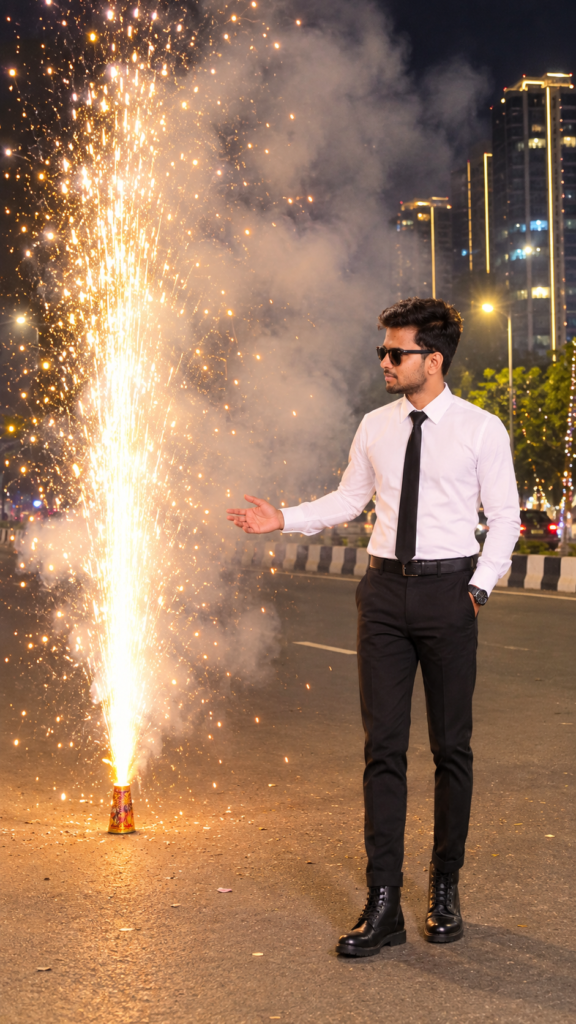
Do you also want to give your photos a completely realistic and cinematic look this Diwali? If you also want to create photos, then this Diwali AI Photo Editing Prompt 2026 is for you. In this article, we’ll tell you how to turn your normal photo into a beautiful Diwali photo with the help of AI. If you want to turn your normal photo into a beautiful Diwali photo with the help of AI, then we’ll explain all the steps.A girl wearing a pink sari is standing near a burning pomegranate firecracker. A boy wearing a checked shirt and jeans is seen standing near Diwali fireworks. Both photos show a beautiful night atmosphere, golden lights, white smoke, and tall buildings in the background. You can easily create a similar AI Diwali photo from your photo. All you need is your photo and a good AI Photo Editing Prompt. Below, you’ll find prompts for both boys and girls, which you can easily copy and use. Turn your photo into a Diwali photo.
How to use this prompt ?
First copy the given prompt and paste it in any AI Photo Editing tool like Chatgpt & Google Gemini, in which upload your photo and then create the photo, with this you can create your photo in the background of Diwali fireworks and golden lights, which will make your photo a Diwali photo and will become a rare and trending photo.
BOY & GIRL PROMPT
◀VI EDITOR
Create an ultra-realistic 4K nighttime Diwali celebration photograph using the uploaded personal photo as the ONLY identity and appearance reference.
IDENTITY AND OUTFIT:
Preserve the exact person from the uploaded photo. Keep their original face, facial features, hairstyle, hair texture, skin tone, body proportions and natural appearance. Automatically retain the exact original clothing and accessories from the uploaded photo. Never impose a predefined outfit or clothing colour.
FACIAL EXPRESSION:
Keep the natural facial expression from the uploaded photo. Do not add a smile, artificial grin or exaggerated reaction. Maintain a realistic, natural expression.
BACKGROUND:
Create a beautiful nighttime Diwali celebration on a wide city road. Show tall modern glass skyscrapers with illuminated windows, distant building lights, elegant streetlights and a dark night sky.
JHAWBATI POSITION AND DISTANCE — MOST IMPORTANT:
Place one large traditional Diwali Jhawbati ground fountain on the LEFT side of the person.
Study the composition reference carefully. The Jhawbati must be at a moderate, visually close distance from the person, just slightly behind and to the left.
Do NOT place it extremely close to the camera, and do NOT place it far away in the distant background.
The firework should appear beside the person with a natural visible gap, similar to the exact relative positioning in the reference photograph.
The Jhawbati base must remain clearly visible on the road. Its golden-white fountain should rise approximately to the person’s upper-body or head height.
FIREWORK AND SMOKE — CRITICAL:
Create a powerful, beautiful fountain of bright golden-white sparks shooting upwards from the Jhawbati.
Hundreds of glowing sparks should scatter naturally in different directions.
IMPORTANT: Thick, dense white-grey smoke must be generated directly from the burning Jhawbati itself.
The smoke must be clearly visible BETWEEN the rising sparks, surrounding the entire fountain and spreading upwards and towards the RIGHT side behind the person.
Create a large, naturally illuminated cloud of smoke behind and around the firework, similar to a real Diwali Jhawbati burning at night.
The smoke must NOT be missing, transparent, extremely thin or placed separately in the distant background.
The golden sparks should shine beautifully through the thick white-grey smoke, creating a realistic combination of fire, sparks and smoke.
PERSON AND COMPOSITION:
Place the person on the RIGHT side of the vertical frame, naturally standing on the road.
The person should be looking towards the burning Jhawbati on the LEFT, with a natural posture.
One hand may be gently extended towards the firework, while the other hangs naturally.
CAMERA:
Vertical 9:16 full-body portrait.
Natural eye-level mobile photography perspective.
Show the complete person from head to shoes.
Keep the person on the right and the Jhawbati on the left.
Maintain the same moderate distance and relative size of the person and firework as the composition reference.
LIGHTING:
Bright golden-white sparks should illuminate the road and naturally reflect on the person’s face and original clothing.
Realistic nighttime exposure, natural shadows, detailed smoke particles, glowing embers and authentic iPhone night photography.
STRICT NEGATIVE INSTRUCTIONS:
No extreme foreground firework.
No tiny distant firework.
No excessive distance between person and Jhawbati.
No missing smoke.
No smoke separated from the firework.
No artificial facial smile.
No changed identity.
No changed outfit.
No cropped feet.
No cartoon, painting or CGI appearance.
FINAL OUTPUT:
A photorealistic Diwali night photograph matching the reference composition, with a person on the RIGHT and a spectacular golden-white Jhawbati burning at a moderate distance on the LEFT, surrounded by thick, beautiful, naturally illuminated white-grey smoke.
◀VI EDITOR
Create an ultra-realistic cinematic nighttime portrait using my uploaded photo as the ONLY identity reference.
IDENTITY:
Preserve my exact real face, facial features, hairstyle, hair texture, skin tone and body proportions. My face must remain 100% identical to my uploaded photo. Do not change my identity or hairstyle.
OUTFIT:
Keep my original outfit style and clothing appearance from my uploaded photo. Add a beautiful elegant traditional dupatta naturally draped around my neck, hanging down on both sides of my chest.
BACKGROUND:
Create a beautiful traditional Indian palace-style building at night, decorated with luxurious warm golden fairy lights. The building should have elegant traditional architecture and illuminated balconies.
On my right side, create a huge bright white fountain firework (Jharbatti Anar) bursting upwards, producing thousands of sparkling white and golden particles. Beautiful glowing sparks should spread through the dark night sky with realistic smoke.
POSE:
I am standing naturally in a relaxed side-profile pose, looking towards the fireworks. My body is slightly turned towards the fireworks, with one arm hanging naturally beside my body.
LIGHTING:
Keep the entire photograph dark, mysterious and cinematic. My face and body should remain mostly in natural shadows, with subtle golden rim lighting from the building and soft white firework light illuminating the edges of my face, hair and shoulders.
PHOTOGRAPHY:
Professional DSLR night photography, cinematic low-light exposure, realistic shadows, natural skin texture, dramatic contrast, warm golden and cool white color grading, ultra-realistic details.
COMPOSITION:
Vertical 9:16 portrait, full upper body visible, fireworks clearly visible beside me, luxurious Indian festive atmosphere.
IMPORTANT:
The final result must look like a real photograph captured during a Diwali celebration. Preserve my original face, hairstyle and identity. Do not make me look like another person. No cartoon effects, no artificial face, no excessive brightness.
What will happen with this prompt ?
Using this prompt, you can edit your photo with the girl in a pink saree and the boy in salt paint, along with golden fireworks, smoke, and a beautiful night background. For best results, use a clear, high-quality photo. Ensure your face in the reference photo is clear and crisp, with fine-tuning on your face, so your final photo is perfect and well-done.
How to make Diwali AI Photo from mobile?
If you want to create an AI Diwali photo from your mobile, follow the steps below to make your photo the best or best.
1. First, select a clear and high-quality photo.
2. Use an AI photo editing tool like Chatgpt or Google Gemini to upload a photo and paste the prompt to turn your photo into a Diwali photo.
3. You can use the same prompt for either a girl or a boy; two prompts are provided; you can use both.
4. Now, generate the photo with AI and check the results.
5. Once the photo is ready, save it and share it on Instagram, Facebook, or WhatsApp.Note that some AI tools offer free credits, while others may require payment for generating photos. So, use a free AI tool.
Conclusion.
So friends, in this article we have explained in detail about Diwali AI Photo Editing Prompt 2026. Along with this, we have also shared copy-paste prompts for both Boy and Girl, with the help of which you can convert your photo into a beautiful Diwali photo. If you also want to give a unique and professional look to your photo this Diwali, then copy the above-given prompt and use it in your favorite AI Photo Editing tool. Yes, it should be free and not credit or paid tools. If you liked this article, then share it with your friends and stay connected with Vi Editor for such new AI Photo Editing Prompts and AI Video Editing Tutorials.