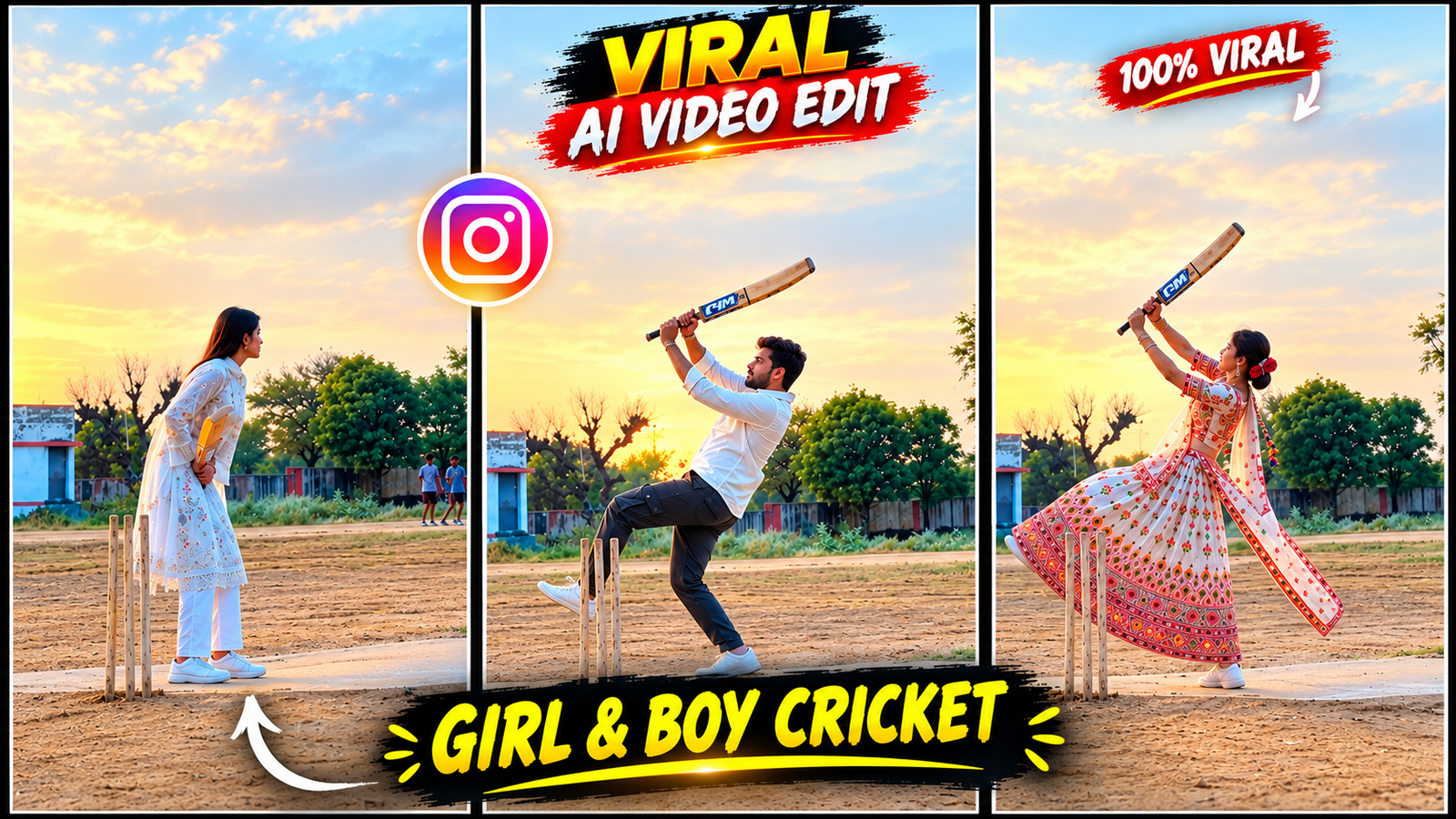
Hello friends, do you also want to make viral and trending cricket videos in this way, which is becoming very viral on social media? It looks very unique and very engaging, in which you can make this video with your character in this way. There are very easy steps to make it, in which you can show your character in this video. It also looks very unique, due to which many creators are making videos with their characters in this way, in which you can see in this video that there is a character who is lying on the bed, in whose hand you can see him hitting a six, in which everyone can make their own video with a boy and a girl character, and the good thing is that you can also make videos in this way and put them on your Instagram, YouTube, WhatsApp status, and let me tell you friends that to make this, you just need your reference video and a complete one, which I am going to give you in this article, you just have to copy the prompt and use such a tool which has the option of video and photo, which has motion control, like you flow You can use AI and create your own video.
What is Cricket Shot AI Video Editing ?
This cricket AI video, with the help of prompt and reference video and a photo, you can make this type of AI video which looks very unique and of a different type, in which you people like to make videos in a unique way and upload them on social media like on Instagram, Facebook and on YouTube, then you can make this type of AI video in which you can see that there is a character which will be seen playing cricket and in it some slow motion ball hitting shots and background music which looks very unique, you people can make this very easily, in which you just have to use such AI which I am going to tell step by step.
◀VI EDITOR
Create an ultra-realistic video using TWO references:
REFERENCE IMAGE: The uploaded photo of the main character.
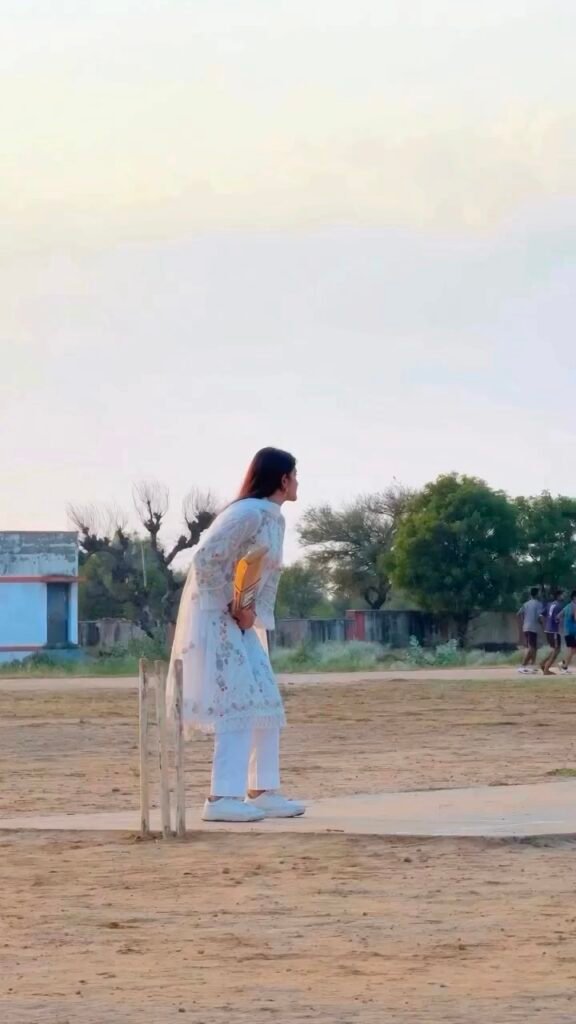
REFERENCE VIDEO: The uploaded cricket batting video.
MAIN OBJECTIVE:
Recreate the reference video’s cricket batting action as closely as possible, following the same sequence of movements, timing, body posture, cricket bat movement, ball interaction, camera framing, and scene composition.
STRICT IDENTITY PRESERVATION:
The person in the uploaded photo must remain the exact same person throughout the entire video.
If the reference photo contains a male, generate the same male.
If the reference photo contains a female, generate the same female.
Preserve the original person’s exact facial identity, face shape, eyes, nose, lips, skin tone, hairstyle, hair length, hair texture, body proportions, apparent age, and overall appearance.
Preserve the exact original outfit shown in the uploaded photo, including its colors, design, sleeves, trousers, accessories, and footwear.
Do not change the gender, face, hairstyle, clothing, body shape, or identity.
Do not beautify, reshape, replace, or regenerate the person’s appearance.
The same person must remain visually consistent in every frame.
SCENE-BY-SCENE MOTION RECREATION:
SCENE 1 — BATTING SETUP:
Start with the character standing on a cricket pitch in front of the wickets, matching the starting position and full-body framing of the reference video. The character holds a cricket bat and prepares to face an incoming ball. Maintain a natural, realistic batting stance.
SCENE 2 — WAITING FOR THE BALL:
The character remains focused on the approaching bowler and ball. Reproduce the subtle body movements, head orientation, hand position, and weight distribution seen in the reference video. Keep the wickets in the same relative position.
SCENE 3 — BALL APPROACH:
A cricket ball travels toward the batter at ground level in a physically believable trajectory. The character watches the incoming ball and begins moving into the batting action at the same moment as in the reference video.
SCENE 4 — BENDING AND PREPARATION:
The character bends the knees and lowers the upper body naturally to prepare for the shot. The hands grip the cricket bat firmly. Match the timing and direction of the body movement in the reference video.
SCENE 5 — BAT SWING:
The character swings the cricket bat through the incoming ball’s path in one continuous, natural cricket batting movement. The bat must make believable contact with the ball. Reproduce the reference video’s swing direction, body rotation, footwork, and follow-through as closely as possible.
SCENE 6 — POWERFUL FOLLOW-THROUGH:
Immediately after hitting the ball, the character raises the bat into the same high follow-through position shown in the reference video. The body rotates naturally, one leg lifts or moves as required by the reference motion, and the clothing and hair react naturally to the movement.
SCENE 7 — COMPLETING THE SHOT:
The character completes the batting movement and regains balance. Keep the bat in the correct hand position and maintain the same character identity, clothing, and body proportions.
SCENE 8 — FINAL POSITION:
The character finishes the shot and settles into a natural standing position, holding the bat. End with the same wide composition and cricket-ground atmosphere as the reference video.
ENVIRONMENT AND CAMERA:
Recreate the reference video’s open cricket ground, dry pitch, wickets, distant trees, buildings, and natural outdoor lighting as closely as possible.
Vertical 9:16 composition.
Full-body wide shot.
Camera positioned at a distance, showing the complete character, bat, wickets, and surrounding ground.
Keep the camera stable and preserve the original reference framing.
No unnecessary zooming, panning, tilting, rotation, or camera cuts.
MOTION REQUIREMENTS:
Follow the reference video frame by frame as closely as the video model allows.
Preserve the original action order and relative timing.
Use smooth, continuous, physically realistic human movement.
The cricket ball must approach the batter before the bat swing.
The bat must visibly swing through the ball’s path.
The follow-through must happen immediately after the hit.
Keep the hands, arms, legs, bat, ball, and wickets anatomically and physically consistent.
NEGATIVE INSTRUCTIONS:
No face changes.
No hairstyle changes.
No clothing changes.
No gender changes.
No character replacement.
No extra people appearing near the batter.
No duplicate body parts.
No extra fingers or arms.
No floating cricket bat.
No disappearing bat.
No teleporting ball.
No incorrect ball trajectory.
No random dancing or unrelated actions.
No slow motion unless present in the reference.
No artificial camera movement.
No cuts that change the action sequence.
No cartoon or CGI appearance.
FINAL RESULT:
A photorealistic cricket batting video featuring the exact person from the uploaded photo, performing the same batting action as the uploaded reference video, with consistent identity, original clothing, matching action sequence, and realistic cricket physics.
To create this type of AI video, you will first need a photo of your own—it can be of either a girl or a boy. Next, you need a reference video with the audio muted, and the right tools to bring your video to life.
Your clear photo – Take a photo of yourself in which your face is clearly visible and there is no filter on it.
Muted reference video – Make sure the reference video you use has muted background music to make your video easier.
Google Flow AI – In this article I have told you the whole method of using flow ai, how you can use flow ai by uploading reference video and photo and by using prompt, how you can make your own ai video.
Cricket Shot AI Prompt – I have covered all the necessary details in the prompt so you can create your cricket AI video, featuring your character hitting a six in slow motion.
How to Create a Cricket Shot AI Video Using Google Flow?
To create a video with Google Flow, you must carefully follow all the steps I’m describing step by step
Step 1 – First, I’ve provided a reference video for you. Download it. Then, copy the prompt, which you’ll find in the article.
Step 2 – Open your Chrome browser, search for the Flow.ai website, select the video option, and select the desired frame size. Select the quality and the number of seconds you want to create. Then, upload the reference video. Upload your photo, paste the prompt, and click Generate. After the video is created, check to see if you have the final result. If you see even the slightest error, you can recreate it. Once the final video is ready, save it.
Step 3 – To add a song to a video, use any application, such as the vn App or the CutCut application. Import the video you created with Flow.ai into it. Add music that’s currently trending and viral, then export your video. Before exporting, pay attention to the quality you select ( Bit rate, More Than).
Step 4 – You can see the final result. Then, you can upload your shorts to social media platforms like Instagram, YouTube, and Facebook.
Conclusion
I have told you all the steps of making a cricket eye video in this article, where you can see this article carefully and by following the prompt given in it, you can make your own cricket eye video, in which how to copy the prompt, how to make your video, which tools to use, and how to edit your video, sir, I have told you all step by step in this article, you have to read it well and create your cricket eye video very easily, in which you have to follow all the steps like prompt reference, video and method of making, I have written it in the article.